Essential Guide To RFQs And RFPs For Streamlined Procurement
Learn how to choose between RFQs and RFPs and streamline procurement workflows with AI-powered automation using BoloSign

Tired of nonsense pricing of DocuSign?
Start taking digital signatures with BoloSign and save money.
RFQs and RFPs drive two very different conversations in procurement. An RFQ asks vendors for price quotes on clearly defined, repeatable items. An RFP, by contrast, seeks in-depth proposals when you need expert recommendations or unique solutions. With BoloSign, you can create, send, and sign PDFs, templates, and forms instantly—experience powerful digital signing solutions that fit right into your procurement workflows.
Quick Comparison Of RFQs And RFPs
Procurement teams lean on these documents to find the right vendor at the right price. RFQs make cost comparisons straightforward. RFPs invite vendors to outline their approach, methodology, and added value.
Key Decision Factors
Volume and Standardization
RFQs work best when you’re ordering large quantities of identical parts or services.Complexity of Deliverables
If your requirements are fixed and well-understood, an RFQ keeps things simple. For multifaceted projects, an RFP captures diverse ideas.Creative or Technical Solutions
When you need vendors to propose innovations or custom designs, the RFP’s open-ended format shines.
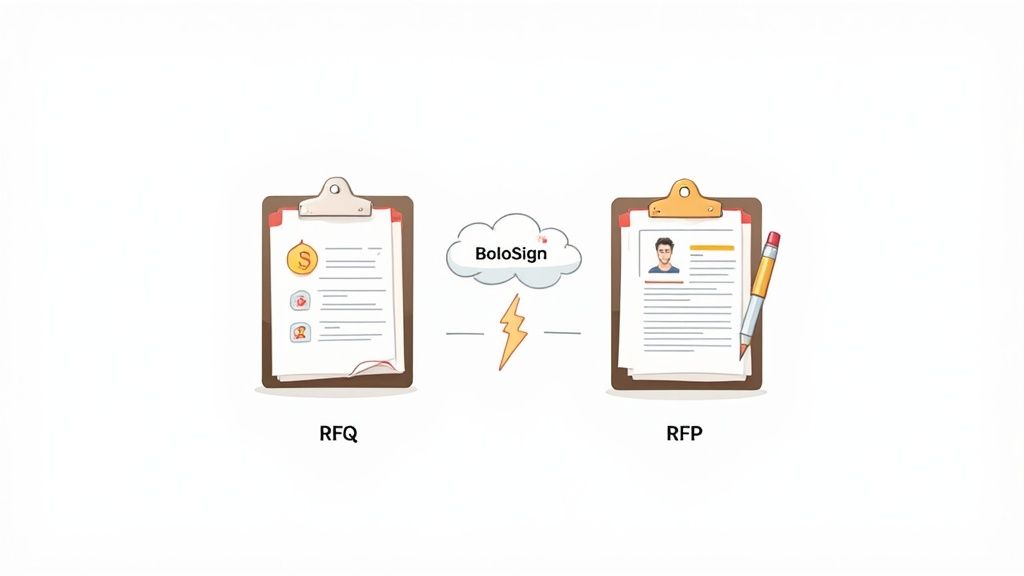
Here’s a side-by-side summary to guide your choice:
Comparison Of RFQ And RFP
| Attribute | RFQ | RFP |
|---|---|---|
| Purpose | Price Quotes | Detailed Proposals |
| Complexity | Low | High |
| Timeline | Short Cycle | Longer Evaluations |
| Evaluation | Cost-Driven | Criteria-Driven |
| Document Length | Brief | Comprehensive |
Use this table as a quick reference when drafting your next procurement request.
With BoloSign, teams achieve the fastest time-to-signature in just minutes.
This guide takes you deeper—covering step-by-step workflows, handy templates, and automation tactics for both RFQs and RFPs.
In this guide, you’ll learn how to:
- Draft clear, effective requests
- Collect eSignatures and sign PDFs online with BoloSign
You will also discover how to:
- Add signature to Google Form surveys
- Leverage AI contract review for faster turnaround
- Streamline contract automation across departments
With BoloSign, your team can create, send, and sign RFQs and RFPs instantly. Enjoy unlimited documents, templates, and team members at one flat rate—making eSignature and sign PDFs online simple and up to 90% more affordable than DocuSign or PandaDoc. Its AI-powered automation and contract intelligence ensure compliance with ESIGN, eIDAS, HIPAA, and GDPR. You’ll also gain insights into managing global sourcing under these regulations.
Let’s dive in.
Understanding The Key Concepts
Procurement moves forward when you match the right process to your needs. An RFQ asks vendors for price quotes on clearly defined items. In contrast, an RFP calls for in-depth proposals when you face complex projects.
RFQs shine when you’re hunting for cost clarity on bulk purchases. You lay out specifications, collect bids, and compare suppliers side by side.
RFPs come into play when innovation or specialized expertise matters. Vendors respond with their methodologies, timelines, and unique value propositions.
Evolution Of RFQs And RFPs
Not long ago, teams printed stacks of paper forms and shelved them. Email templates replaced file cabinets, but the core process stayed manual.
Today's cloud-native solutions bring AI contract intelligence to the table. Fields auto-populate, risky clauses surface instantly, and you get eSignatures in minutes.
- Faster document drafting through AI suggestions
- Automated approval routing to speed cycle times
- Error reduction with built-in compliance checks
The market has exploded—RFQ/RFP software went from niche tools to a multi-hundred-million-dollar industry. Forecasts project growth from USD 2.28 billion to USD 7.38 billion by 2031. Read the full forecast details from MaiaResearch
Compliance And Global Sourcing
When your procurement spans borders, legal frameworks like ESIGN, eIDAS, HIPAA, and GDPR become non-negotiable. They underpin enforceability and keep data protected.
Consider these scenarios:
- A logistics firm issues an RFQ for shipping containers.
- A healthcare network sends an RFP for telemedicine infrastructure.
- A distribution center requests quotes for warehouse equipment.
BoloSign streamlines every stage:
- Create, send, and sign PDFs with its eSignature capabilities on BoloSign
- Automate templates and workflows via contract automation tools
- Embed eSignatures in surveys using the Google Forms integration
RFQs drive efficient pricing checks while RFPs capture custom solutions and vendor expertise.
You might also be interested in our detailed guide on responding to an RFP to refine your proposal strategy.
Across industries, speed matters:
| Sector | Traditional Cycle | With BoloSign | Time Saved |
|---|---|---|---|
| Logistics | Days | Hours | 80% |
| Healthcare | Weeks | Days | 50% |
Introducing BoloSign AI Contract Intelligence
BoloSign’s AI assistant reviews RFQs and RFPs in a flash. Professional services and real estate teams cut analysis time by 60%.
Education and staffing professionals roll out bespoke RFPs in under 10 minutes, thanks to template libraries and smart mappings.
Every signature carries enterprise-grade encryption and built-in compliance—no extra steps required.
This section covers the core concepts. Next up: deep-dives into automated workflows and integrations.
Comparing RFQs And RFPs For Decision Making
Procurement leaders often face a simple—but crucial—question: should you issue an RFQ or an RFP? The answer hinges on four key factors: complexity, timeline, stakeholder input, and risk tolerance. Aligning your process to project needs ensures you get the right proposals every time.
Standardized buys with clear specs tend to follow an RFQ path, while projects that demand innovation or detailed solutions call for an RFP.
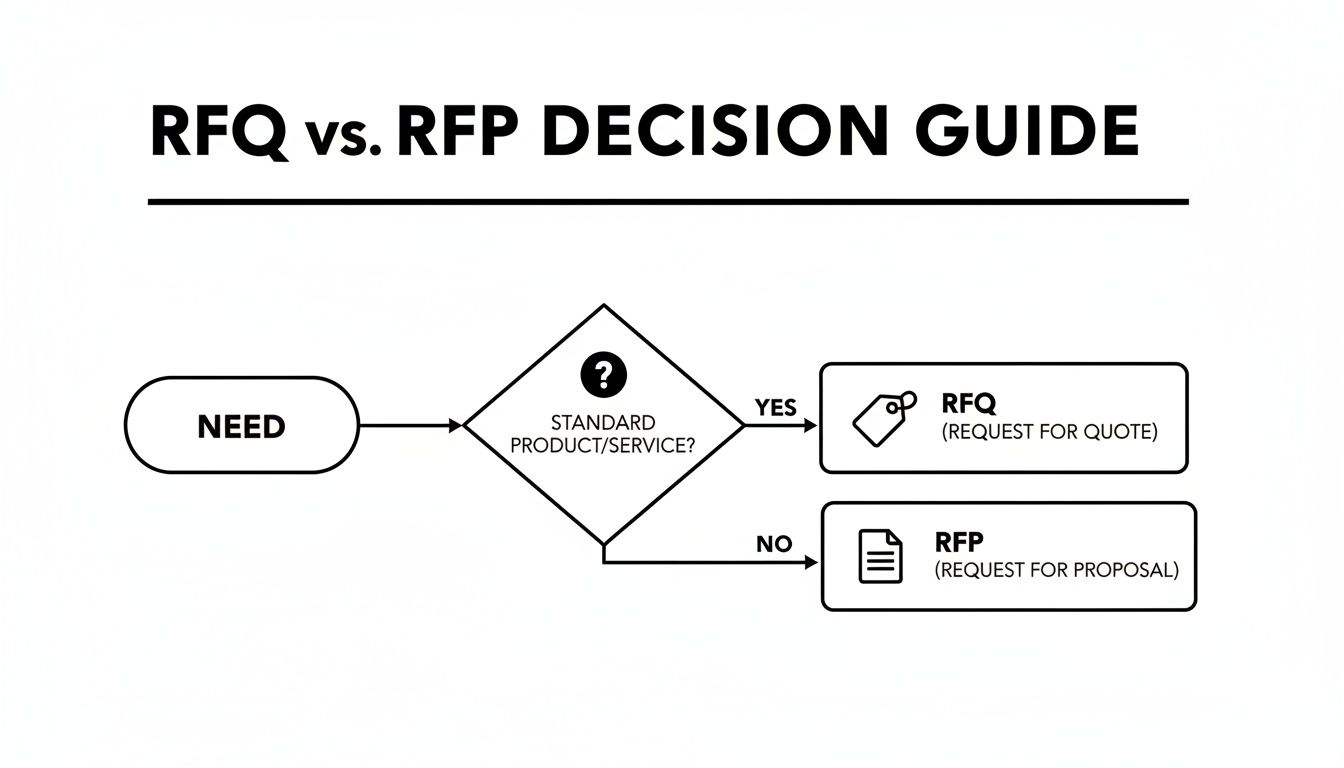
This simple decision tree shows that standardized requirements map neatly to RFQs, whereas unique needs drive an RFP approach.
RFQs excel at driving competitive pricing for clear specifications, whereas RFPs capture creative proposals for multifaceted solutions.
As organizations scale, they tap into a growing RFP market. A report from 6W Research estimates the RFP market at USD 3.6 billion in 2024 with forecasts up to USD 6.1 billion. Another study pegs it at USD 2.28 billion in 2023, expanding to USD 7.38 billion by 2031.
Decision Criteria And Use Cases
Use this quick-reference matrix to match your project traits with the right procurement method.
Decision Criteria Matrix
| Criteria | Best Option |
|---|---|
| Low complexity | RFQ for routine goods and bulk orders |
| High complexity | RFP for tailored services or technical work |
| Short timeline | RFQ speeds up simple purchasing cycles |
| Extended evaluation | RFP supports detailed scoring and demos |
| Low risk tolerance | RFQ limits scope from the start |
| High risk tolerance | RFP allows for vendor innovation and vetting |
This table ties each criterion to real-life scenarios across education, logistics, professional services, and real estate.
BoloSign’s platform adapts seamlessly to either RFQs or RFPs. Key capabilities include:
- Instant RFQ and RFP creation via the template library
- Predictable billing with unlimited users and signatures—learn more on the pricing page
- One-click workflow triggers from your CRM using our CRM integration
RFQs often suit bulk orders in education and logistics. For example, a school district using an RFQ cut textbook spending by 30% through competitive bidding.
RFPs shine in professional services and real estate deals. A consulting firm, for instance, consolidates methodology, experience, and pricing in one RFP. In real estate development, agencies compare design concepts and financial models side by side.
How BoloSign Enhances RFQ And RFP Workflows
BoloSign’s AI contract intelligence auto-populates fields and flags non-compliant clauses in both RFQs and RFPs. Teams leverage reusable templates to stay consistent and shave hours off document drafting.
Automated reminders and approval routing reduce complex RFP bid cycles by 50%. With unlimited documents and team members, procurement scales without surprise fees.
Seamless CRM and ERP integrations keep data flowing from opportunity to signed contract. Instant PDF generation and eSignature capture let you finalize proposals anywhere, on any device.
Effective procurement also depends on early stakeholder input. Workshops that include procurement, legal, and end users align requirements before you issue an RFQ or RFP. BoloSign supports collaborative redlining and comment threads so every stakeholder can weigh in directly, cutting out endless email loops.
Real World Procurement Workflow Examples
Procurement processes differ by industry, but the goal is the same: clear requirements meet signed agreements faster. BoloSign integrates with CRMs to auto-generate PDFs, fill in custom fields, and send reminders until every signature lands.
Staffing Recruitment Example
A staffing agency captures candidate info through a Google Form. Once submitted, BoloSign spins up an RFQ PDF complete with role specs and salary ranges.
Then the document follows a preconfigured approval track.
- Draft role details and requirements
- Secure hiring manager sign-off
- Generate RFQ PDF with pricing fields
- Send eSignature requests to vendors
- Track progress and send automated reminders
This setup cuts manual processing time by 60%.
Automating candidate RFQs slashes manual effort and error rates.
Integration with an ATS or CRM keeps data consistent across your stack.
Real Estate Procurement Flow
Real estate firms draft RFPs for property management, architectural design, or renovation projects. Using a reusable template, agents create project specs in BoloSign in minutes.
Once approved, the system generates the RFP PDF and shares it with architects and contractors.
- Instant PDF creation reduces prep time by 70%
- Pre-filled fields lower data errors by 30%
- Automated reminders lift vendor response rates by 25%
You can set up custom data mappings on our custom field setup page. As one developer discovered, approval cycles can shrink from days to mere hours. BoloSign’s workflow automation and ERP connectors then push contracts straight back into your backend.
Education And Training Example
Universities and schools run RFQs to source textbooks and training modules. Faculty complete a Google Form survey and BoloSign instantly generates a procurement PDF.
Stakeholders review and sign the document in a single interface using mobile-friendly eSignature links.
- Google Forms integration captures all requirements
- Standardized templates enforce budget rules
- Mobile eSignature ensures quick turnaround
This process speeds up approvals by 50% and cuts errors by 40%. Learn more in our vendor onboarding best practices article. Every signed file is archived with an immutable audit trail for full compliance.
Professional Services And Logistics Flow
Consulting teams issue RFPs for strategic planning or analysis projects. Meanwhile, logistics providers request fleet maintenance quotes via a branded RFQ template.
BoloSign links to your ERP so once bids are approved, purchase orders update automatically.
- Generate PDFs in under 2 minutes
- Cut drafting errors by 45% with reusable templates
- Reduce follow-up emails by 70% via real-time dashboards
Teams can even add signature fields directly to Google Forms. Everything runs at one flat rate with unlimited documents, templates, and users—up to 90% more affordable than other platforms. Plus, security and compliance are handled out of the box (ESIGN, eIDAS, HIPAA, GDPR).
Time Savings Overview
| Industry | Time Saved |
|---|---|
| Staffing | 60% |
| Real Estate | 70% |
| Education | 50% |
| Logistics | 80% |
Across these scenarios, BoloSign’s AI contract intelligence, contract automation, and integrations remove manual bottlenecks, reduce mistakes, and accelerate approvals.
Integrating eSignatures within your existing tools delivers immediate ROI.
All documents are encrypted end to end and undergo regular security audits. BoloSign holds SOC 2, ISO 27001, and CCPA certifications to keep your data safe.
Managing Risks And Tracking Key Metrics
Every procurement team juggles two critical goals: keeping risks in check and measuring performance. Nail those, and your RFQ and RFP processes will hum along smoothly.
Yet common missteps—scope creep, misaligned criteria, or compliance gaps—can derail even the best-laid plans. Below, you’ll find real-world tactics to stay on track.
- Standardized Clause Libraries enforce consistency and speed up reviews
- Evaluation Matrices bring everyone onto the same scoring page
- Encrypted Audit Trails capture every action for rock-solid compliance
Still, some challenges aren’t so obvious:
- Scope Creep
Shifting requirements push budgets higher without formal approvals. - Evaluation Misalignment
When stakeholders rate vendors by different yardsticks, the “winner” can be the wrong match. - Compliance Lapses
Untracked or unauthorized edits risk voiding contracts under audit.
Catch these early, and you’ll dodge budget overruns and legal headaches.
Risk Mitigation Practices
First, spell out a crystal-clear scope statement in every RFQ or RFP. This simple step anchors expectations.
Next, adopt weighted scoring so every stakeholder knows exactly how proposals will be judged. No surprises.
Finally, turn to template libraries to standardize your documents—and automate the audit trail so each edit, comment, or signature writes itself into an immutable log.
Automating risk controls reduces compliance errors by up to 65%.
Tracking Key Procurement Metrics
If you can’t measure it, you can’t improve it. Focus on four core KPIs:
- Response Rate
- Win Rate
- Cycle Time
- Cost Savings
Set industry benchmarks for context. For example:
- Logistics teams hit 80% response rates on average.
- Professional services hover around 70%.
- Most sectors close RFQs or RFPs in 5–10 days.
And don’t forget this: surveys of over 1,500 teams report an RFP win rate of roughly 45%, with 39% of company revenue tied to RFPs. Yet some 20% of RFPs never cross the finish line—proof that automating responses can drive both revenue and efficiency. Learn more about RFP statistics
| KPI | Formula |
|---|---|
| Response Rate | (Proposals Received ÷ Invitations Sent) × 100 |
| Win Rate | (Awards Won ÷ Proposals Submitted) × 100 |
| Cycle Time | Average Days from Issue to Signature |
| Cost Savings | Baseline Cost − Actual Contract Cost |
Industry Benchmark Comparisons
Knowing where you stand versus peers uncovers hidden opportunities. Here are a few snapshots:
- Staffing Firms: 50% win rate is typical; the best push toward 60%.
- Healthcare Providers: Average 55% win rate when AI tools are in play.
- Real Estate Agencies: See 65% response rates on RFPs.
- Education Institutions: Maintain about 75% response rates on RFQs.
- Logistics Operations: Aim for cycle times under 7 days on routine requests.
Use these figures to set realistic targets and track your progress.
Benchmarking against industry norms uncovers hidden opportunities to refine your process.
- Collect data every cycle, no exceptions
- Segment by project size and sector
- Review results monthly and tweak your weightings
These steps will help your RFQs and RFPs evolve as your organization grows.
Continuous Improvement Strategies
Improvement is an ongoing loop, not a one-off project. Each quarter, review your KPI trends and adjust:
- Host cross-functional reviews with procurement, legal, and finance.
- Update templates based on lessons from recent bids.
- Train teams on any new compliance rules or scoring tweaks.
Small, consistent changes yield big gains over time.
Leveraging BoloSign Dashboards
If you’re on BoloSign, use the reporting dashboard to watch KPI trends unfold. Detailed analytics on response and win rates highlight bottlenecks in real time.
Encrypted storage locks down every RFQ and RFP record—goodbye lost bids. And with built-in compliance features, audit logs are sealed tight.
Explore interactive charts on our analytics page or dive into the reporting dashboard for live insights on cycle times and cost savings.
By tracking these metrics and shoring up risk controls, your team will win more bids and streamline workflows—setting the stage for full RFQ and RFP automation with BoloSign.
Next up: hands-on steps for automating your entire sourcing process.
Automating RFQs And RFPs With BoloSign
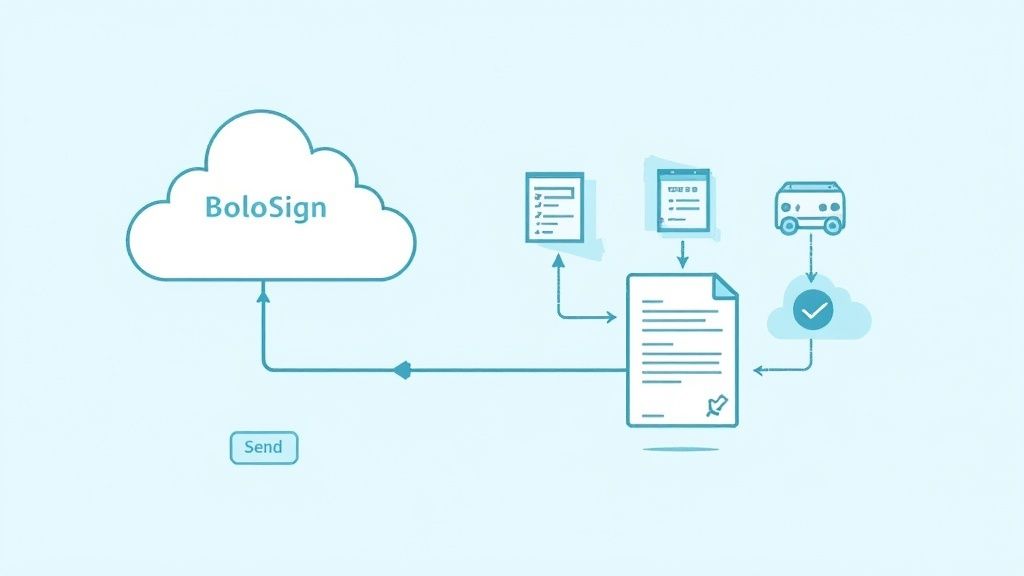
Tired of chasing spreadsheets and email threads? BoloSign’s CLM unifies RFQs and RFPs—templates, approvals, eSignatures—all in one dashboard. Let’s break down how to set it up and where you’ll see real savings.
Setting Up Templates And Workflows
Within minutes, an admin can import existing Word or PDF forms and turn them into reusable BoloSign templates. Mapping fields to placeholders is as simple as drag-and-drop, and you can:
- Upload legacy documents in bulk
- Build a clause library for standard terms
- Assign stakeholders like procurement, legal, finance
- Enforce deadlines and automated reminders
Behind the scenes, BoloSign’s AI recommends clauses based on context. Every version is tracked, so you’ll never circle back to an old draft by mistake.
Configuring eSignature Fields
Adding signature and data fields is intuitive. Just drop in your tags, define signer order, and pick an authentication method. For high-stakes bids, you might enable SMS verification or government-ID checks. The steps look like this:
- Choose recipient roles
- Place signature, initials, date, and text fields
- Set authentication (email, SMS)
- Schedule reminders
You can also require checkboxes for consent or privacy acknowledgments, and custom text boxes let vendors supply details like IP addresses. This setup aligns with ESIGN, eIDAS, HIPAA, and GDPR standards.
Integrating With CRM And ERP
Imagine an opportunity advancing a stage in Salesforce or HubSpot: BoloSign instantly spawns an RFQ or RFP populated with client data. Once signed, the system pushes key terms back into your ERP—no manual exports needed.
- Connect via native CRM plugin or RESTful API
- Map CRM fields to document tags
- Trigger workflows on deal-stage changes
- Sync signed contracts to cloud storage (Google Drive, OneDrive)
- Archive audit trails automatically
For no-code teams, Zapier connectors handle the heavy lifting. Deep integrations cover SAP, Oracle, and other enterprise ERPs—cutting duplicate entries and keeping your data consistent.
Flat Pricing And Healthcare Case Study
With BoloSign, you get unlimited documents, templates, and users—all for up to 90% less than DocuSign or PandaDoc. Here’s how the numbers stack up:
| Feature | DocuSign | PandaDoc | BoloSign |
|---|---|---|---|
| Annual Cost (Standard) | $3,600+ | $3,000+ | $360 |
| Unlimited Templates | No | Limited | Yes |
| Unlimited Team Members | No | Limited | Yes |
| Unlimited Documents | No | Limited | Yes |
No per-user fees, no hidden add-ons. Real-time analytics and AI-powered reviews are part of the base package. Procurement teams typically reclaim 20 hours each month that used to go toward manual follow-ups.
A mid-market healthcare provider cut bid cycles by 50% using BoloSign’s AI-driven approvals.
When a regional clinic needed a new patient portal, our AI-powered templates and automated nudges halved their RFP turnaround—from ten days down to five. The result? More time for bid analysis and stronger vendor relationships.
For a deeper dive into contract automation and CLM best practices, read our guide on AI Contract Lifecycle Management.
Monitoring And Optimization
BoloSign’s dashboard doesn’t just show you pending signatures; it highlights aging RFQs, engagement rates, and approval hold-ups. Use these metrics to spot slow points and reconfigure routing before bottlenecks stall your bids.
- Filter requests by age or status
- Track signer engagement and delays
- Adapt workflows based on performance
Teams often see a measurable ROI in the first 30 days. Automated alerts for overdue signatures keep the process moving—no more stalled opportunities. Kick off your 7-day free trial to experience how BoloSign streamlines RFQs and RFPs.
FAQ
What Is the Difference Between RFQs And RFPs?
An RFQ zeroes in on clear pricing for off-the-shelf products or well-defined services. It’s your go-to when specifications are set in stone and cost is the decisive factor. In contrast, an RFP calls for detailed proposals covering approach, timelines, and overall value—perfect for more complex projects.
How Do I Choose The Right Method For My Project?
If your needs are straightforward and price is king, an RFQ usually fits the bill. But when you need vendors to propose creative solutions, roadmaps, or custom integrations, RFPs shine. They let you compare not just numbers but also methodologies and added benefits.
For example, a warehousing manager might send an RFQ to several freight carriers to lock in uniform shipping rates. Conversely, a clinic could issue an RFP to identify a telehealth partner capable of custom integrations and ongoing support.
Integration Options
Can I Integrate RFQs and RFPs Into My Existing CRM Or ERP?
Yes. BoloSign offers native CRM connectors and a RESTful API so you can push opportunity details straight into your RFQ or RFP templates. Once documents are finalized, they flow back into your ERP automatically—no more manual exports.
How Does AI Contract Review Improve Proposal Quality?
BoloSign’s AI assistant flags risky clauses, highlights missing terms, and even suggests alternative language. That combination can slash revision rounds by up to 60%, ensuring proposals meet your standards on the first pass.
“Automating contract checks cuts manual review time and improves consistency across all bids.”
Key Benefits Include:
- Automated clause detection and scoring
- Instant draft suggestions based on past successful responses
- Compliance checks for ESIGN, eIDAS, HIPAA, and GDPR
You can also embed signing steps directly into Google Forms or your website using BoloSign’s Document Signing API. With these features, every procurement phase becomes smoother.
Ready to streamline your RFQ and RFP workflows? Start a 7-day free trial of BoloSign

Paresh Deshmukh
Co-Founder, BoloForms
18 Dec, 2025
Take a Look at Our Featured Articles
These articles will guide you on how to simplify office work, boost your efficiency, and concentrate on expanding your business.

Compare the best AI contract review tools for 2025. See features, benefits, and practical tips to implement them at scale. Explore BoloSign’s unified solution.
Paresh Deshmukh
Co-Founder, BoloSign

Learn if clickwrap agreements are legally binding, how they work, and key best practices for enforceability.
Paresh Deshmukh
Co-Founder, BoloSign
Ready to streamline your contract management with AI?
Contact Sales
AI assistant to draft, review, and eSign contracts on autopilot for fastest growing companies.
Email: support@boloforms.com


Sales Inquiry
Available On


AI assistant to draft, review, and eSign contracts on autopilot for fastest growing companies.
Email: support@boloforms.com
Company
Solutions
Resources
Legal & Security
Sales Inquiry
Available On