What is redlining a document? A Quick Guide for Negotiations
what is redlining a document? Learn how this contract practice works, its impact on edits, and how AI review tools streamline negotiations.


Tired of nonsense pricing of DocuSign?
Start taking digital signatures with BoloSign and save money.
Redlining a document is the process of tracking edits, comments, and suggestions during negotiations. It’s like a collaborative blueprint for an agreement where every proposed change is visible to all parties, ensuring complete transparency before a final version is approved and signed. This guide explains how it works and how modern tools can make it seamless.
The Foundation of Clear Contract Negotiations
Imagine you and a business partner are sketching out plans for a new building on a single sheet of paper. You use a black pen for the original design. When your partner wants to move a wall, they don't erase your line; instead, they use a red pen to cross it out and draw the new wall.
This way, you can both see the original idea and the proposed change side-by-side. This simple analogy captures the very essence of redlining.
Historically, this process was quite literal. Lawyers and negotiators would physically mark up paper contracts with red ink to show deletions, additions, and comments. While the red pen has mostly been replaced by digital tools, the core principle is exactly the same: create a clear, visible history of every negotiation point. You can discover more insights about the evolution of this manual process on PandaDoc.com.
Why Redlining Matters in Business
In any business deal, clarity is king. Redlining is the mechanism that ensures every party understands and agrees to every single clause. Without it, you’re navigating a minefield of potential misunderstandings and hidden risks.
- Creates a Clear Audit Trail: It provides a complete, version-controlled history of all negotiations, which is invaluable for compliance (like ESIGN, eIDAS, HIPAA) and dispute resolution. You can see who suggested what, and when.
- Enhances Collaboration: It allows multiple stakeholders—from legal to sales to procurement—to provide input on the same document without creating chaos or version-control nightmares.
- Mitigates Risk: By making every change explicit, redlining ensures there are no hidden alterations or last-minute surprises before the final signature.
This process is fundamental across nearly every sector. A real estate agent redlines a purchase agreement to adjust contingency clauses, a healthcare administrator revises a vendor contract to ensure HIPAA compliance, and a logistics manager amends a shipping agreement to update delivery schedules. It's the language of negotiation.
The challenge, however, has always been managing this back-and-forth efficiently. Endless email chains with attachments like "Agreement_v4_final_FINAL.docx" lead to confusion, delays, and costly mistakes.
This is where modern digital signing solutions like BoloSign come in. Our platform transforms this traditionally slow process into a seamless workflow. Instead of juggling files, you can create, send, and manage edits, comments, and approvals in one secure, central location, preparing the document for a clean eSignature once all terms are finalized.
Traditional vs. Digital Redlining at a Glance
The evolution from paper-based markups to digital workflows has been a game-changer for businesses. The core goal remains the same—track changes clearly—but the methods, speed, and security have improved dramatically.
The table below breaks down the key differences between the old way and the new way.
| Feature | Traditional (Paper-Based) | Modern (Digital) |
|---|---|---|
| Medium | Physical paper, red ink pens, couriers | Word processors, CLM platforms, shared documents |
| Speed | Slow; dependent on physical mail or fax | Instantaneous; real-time collaboration |
| Version Control | Manual and error-prone ("Final_v3.doc") | Automated and centralized; clear version history |
| Collaboration | Sequential; one person at a time | Simultaneous; multiple stakeholders can comment at once |
| Audit Trail | Difficult to reconstruct; relies on keeping all paper copies | Automatic and detailed; tracks every change and comment |
| Security | Low; risk of loss, unauthorized viewing, or damage | High; access controls, encryption, and secure storage |
| Accessibility | Limited to physical location of the document | Accessible from anywhere with an internet connection |
While traditional redlining laid the groundwork, digital tools have made the process faster, more accurate, and far more secure. This shift isn't just about convenience—it's about reducing risk and closing deals more effectively.
How the Redlining Process Actually Works
So, how does redlining play out in the real world? Think of it less like a chaotic back-and-forth and more like a structured, turn-based conversation where every single suggestion is captured. Nothing gets lost in translation. It usually kicks off when one party sends the first draft of a contract over to the other for a look.
The person on the receiving end then marks up the document with their proposed changes. These edits, or markups, are the heart of redlining. The most common one you'll see is the strikethrough, which literally just crosses out text to show it should be deleted. On the flip side, new text is often added in a different color—typically red, but sometimes blue or green—to make it jump right off the page.
But it’s not just about adding and deleting words. Comments are where the real magic happens. Instead of just nuking a clause they don’t like, a reviewer can add a comment in the margin to explain why they want the change, ask for more context, or propose a different approach. This keeps the entire dialogue right there inside the document, which beats trading a dozen confusing emails any day.
The Role of Version Control
Every time the document gets passed back with fresh markups, a new version is born. This discipline is called version control, and it’s absolutely essential. It creates a clean, chronological paper trail of the entire negotiation, which is a lifesaver for legal reviews and audits. Without it, figuring out who agreed to what becomes a nightmare.
This workflow shows how a document moves from a simple paper draft through digital review and collaboration, all the way to a final, signed agreement.
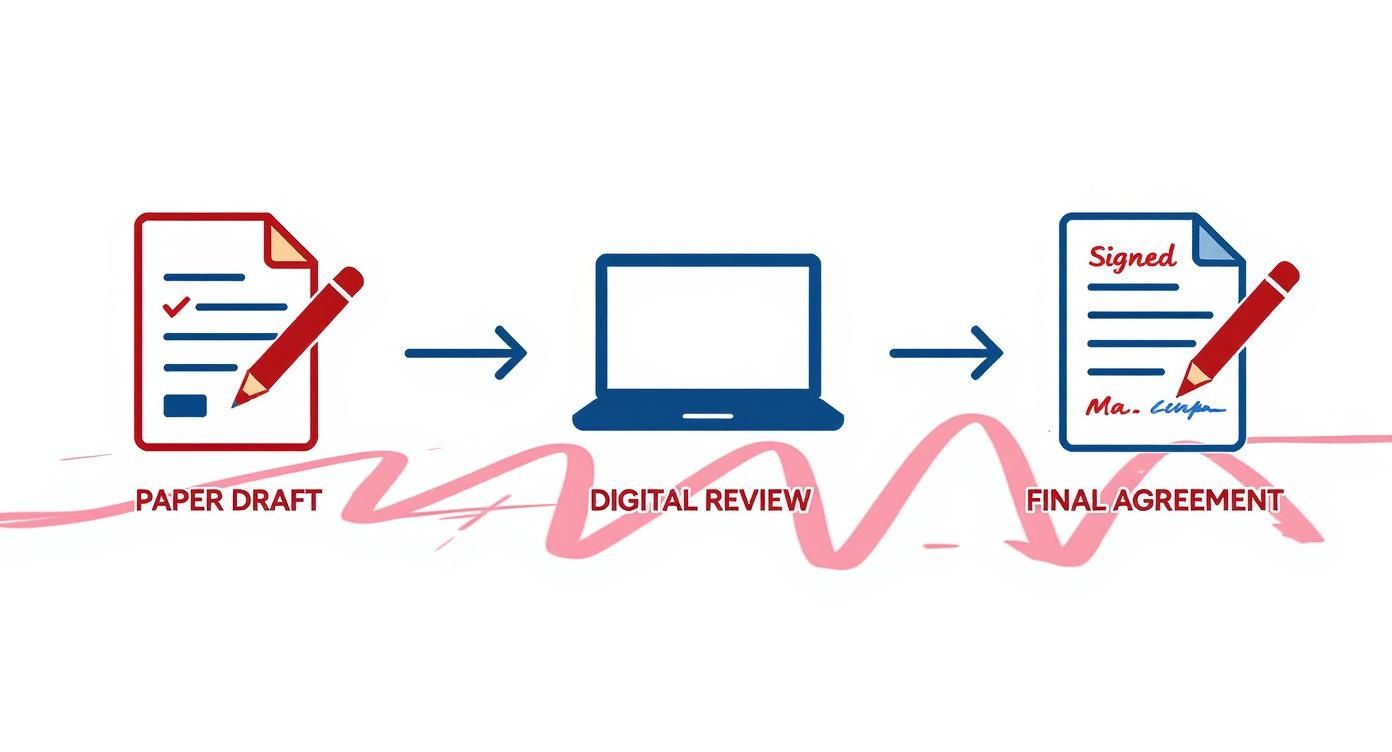
This process flow maps out the journey from an initial concept to a collaboratively reviewed digital document, ending in a fully executed contract.
Redlining in Action Across Industries
While the specifics change from one industry to the next, the goal is always the same: getting to a precise agreement that everyone can stand behind.
- Logistics: A warehouse manager might redline a supplier contract to shorten a delivery window from 72 hours to a firm 48-hour deadline. They’d add a comment explaining that this is crucial for meeting their own customer promises.
- Healthcare: A clinic’s compliance officer will pore over a Business Associate Agreement from a new software provider. They’ll meticulously redline the document, adding specific clauses to make sure it’s airtight on HIPAA data security before giving it the green light.
- Professional Services: A consultant will redline a scope of work to get rid of vague language. They’ll strike through fuzzy terms like "general support" and replace them with specific deliverables and deadlines to shut down any possibility of scope creep later on.
This careful back-and-forth is a foundational part of getting a contract right before it gets signed. For a deeper look at what happens when you need to make changes after the ink is dry, check out our guide on amending a document. This proactive negotiation ensures the final version is clean, clear, and ready for a secure eSignature, turning a complex debate into an enforceable agreement.
Why Redlining Is a Non-Negotiable Business Practice
Think of redlining as more than just a series of technical steps. It's a strategic business function—your first line of defense against the kind of ambiguity that sinks deals and sours partnerships. When every proposed change is tracked and acknowledged, you eliminate the guesswork and build a solid foundation for what comes next. It’s all about creating a definitive record of intent that protects everyone involved from future disputes.
This meticulous process leads directly to stronger, more precise agreements. By visually capturing the give-and-take of a negotiation, redlining ensures the final contract is a true reflection of what both sides agreed to. That transparency is the bedrock of trust in any business relationship.
Mitigating Risk and Ensuring Clarity
Every single redline acts as a checkpoint, forcing both sides to pause and think through the implications of a change. This is absolutely critical for managing risk. A tweak to a liability clause or payment term might seem minor, but it can have huge financial or legal consequences down the road.
Redlining transforms a contract from a static document into a dynamic conversation. It ensures that every clause has been seen, debated, and consciously approved, which is essential for preventing costly misunderstandings after the deal is signed.
For example, a professional services firm can use redlining to hammer out the details in a scope-of-work clause, replacing vague language with concrete deliverables and deadlines. This simple act protects the firm from scope creep and gives the client total clarity on what they’re paying for.
Building a Bulletproof Audit Trail
One of the most powerful results of a solid redlining process is the creation of an indestructible audit trail. This historical record documents every edit, comment, and version, showing exactly who suggested what and when they did it.
This audit trail is indispensable for a few key reasons:
- Compliance: It demonstrates due diligence and shows you’re following internal review protocols. This is vital for regulated industries and for staying compliant with standards like GDPR or HIPAA.
- Dispute Resolution: If a disagreement pops up later, the redlined history serves as clear evidence of the negotiation process and the original intent behind specific clauses.
- Knowledge Transfer: It provides invaluable context for team members who might join a project late or for anyone who needs to understand the history of a client relationship.
Organizations that use modern digital tools see a real impact here. In fact, companies that use collaborative platforms for redlining can shorten their contract review cycles by up to 30-40%. Why? Because all parties have simultaneous, visible access to every suggestion, cutting down on the typical back-and-forth delays and confusion. You can discover more about how digital redlining accelerates negotiations on Pocketlaw.com. This efficiency doesn't just save time; it makes the final agreement that much stronger.
Overcoming Common Redlining Roadblocks
Redlining is a critical part of any negotiation, but let's be honest—the old way is a mess. Anyone who's ever had to dig through their inbox for an attachment named "final_agreement_v3_final_use_this_one.docx" knows the pain all too well. These outdated workflows aren't just annoying; they drag negotiations to a halt and introduce serious risks.
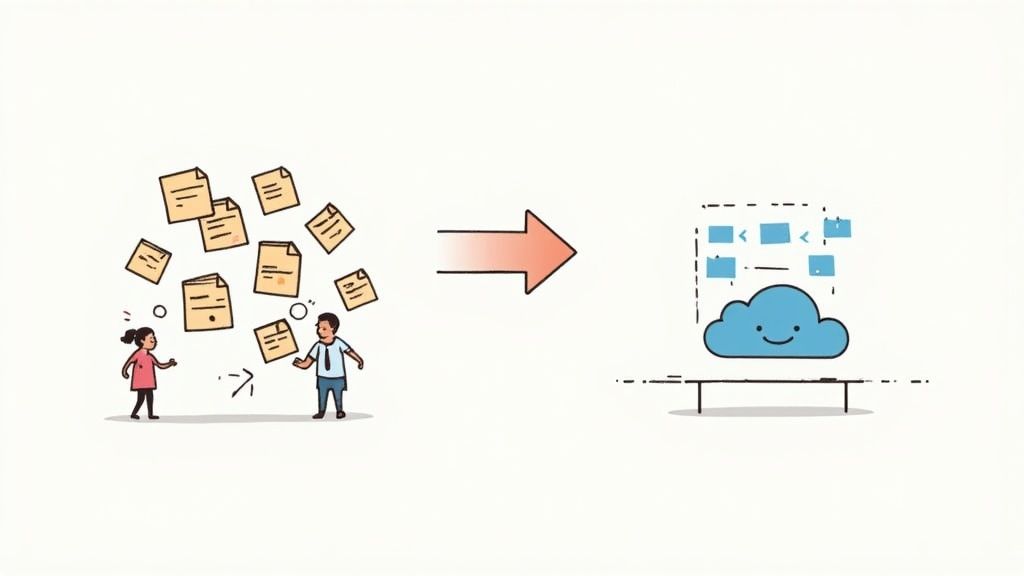
Most of these headaches come from a simple lack of centralization. When edits are scattered across dozens of email threads and multiple document versions, chaos is the only possible outcome. Critical feedback gets buried, people make conflicting changes at the same time, and trying to merge everything manually becomes a tedious, error-prone nightmare.
The Version Control Nightmare
This is the classic problem. Without a single source of truth, teams waste hours just trying to figure out which document is the actual current version. Imagine a real estate agency juggling multiple offers that accidentally sends an outdated counter-offer. A simple mistake like that could jeopardize a major sale. It's not just inefficient; it's a recipe for confusion and costly slip-ups.
A modern platform like BoloSign cuts through this chaos by giving everyone a single, secure space to work on the same live document. Every single change is tracked automatically, building a clean, chronological history without the clutter of endless duplicate files. Your team always knows they're looking at the right version.
Lost Feedback and Manual Merging
Another huge pain point is just keeping track of feedback. When comments and suggestions are buried deep inside long email chains, it's incredibly easy for important points to get overlooked. Think of a logistics provider who misses a crucial comment from a new client about special handling requirements. That one missed detail could lead to service failures and a badly damaged relationship.
Manually consolidating all those scattered edits isn't just a time-sink—it's risky. Every time you copy and paste a change from one document to another, you're rolling the dice on human error. A misplaced comma or an incorrectly copied clause could completely alter the meaning of a contract. A unified platform gets rid of this risk by keeping all comments and proposed changes tied directly to the relevant text.
Maintaining Consistent Legal Language
Finally, keeping language consistent across all your documents is a major challenge with manual redlining. Legal teams work hard to standardize clauses to protect the company, but it's nearly impossible to enforce during a fast-moving negotiation. A salesperson, eager to close a deal, might agree to a language change that unknowingly puts the company at odds with its own policies.
This is where AI contract review becomes a powerful ally. Tools integrated into platforms like BoloSign can automatically flag non-standard clauses or suggest approved alternatives from a pre-vetted library. This kind of contract automation helps maintain legal and compliance standards (like ESIGN and eIDAS) without slowing down the deal.
By ditching email attachments and siloed Word documents, companies can finally get past these common roadblocks. BoloSign provides a centralized environment to create, send, and sign PDFs online, all while offering unlimited documents and users for one fixed price—making it up to 90% more affordable than alternatives like DocuSign.
How AI-Powered Platforms Are Changing the Redlining Game
Let's be honest: manual redlining is a mess. It’s a painful cycle of endless email chains, confusing file versions, and constant check-ins just to see where things stand. Technology, especially platforms with built-in AI, finally offers a way out of that maze.
Modern systems bring the entire process under one roof. Teams can draft, send, negotiate, and sign PDFs online inside a single, secure space. This turns what was once a major bottleneck into a smooth, connected operation.
The real magic happens when redlining and signing are no longer treated as separate steps. A unified platform like BoloSign merges them into one fluid motion. Think of a staffing agency negotiating a new client agreement. The back-and-forth on terms happens in one place, and the moment everyone agrees, the contract is ready for a legally binding eSignature—no downloading, uploading, or switching apps required.
AI Gives You Speed and a Second Set of Eyes
The biggest leap forward comes from AI contract review. Think of it as a smart assistant for your legal and sales teams, one that automatically scans documents to find risks and red flags. Instead of spending hours poring over a 30-page agreement, AI can pinpoint trouble spots in seconds.
For instance, an AI assistant can:
- Spot Risky Language: It instantly flags non-standard or vague terms related to things like liability, indemnification, or termination clauses.
- Suggest Better Clauses: If a counterparty’s edit deviates from your company’s playbook, the AI can suggest pre-approved, compliant alternatives.
- Catch Missing Details: It double-checks for missing dates, signature blocks, or critical exhibits before the document moves to the next stage.
This isn't just about speeding up review cycles; it's about making them smarter. This kind of contract automation drastically cuts down on human error. For companies working with specialized legal documents, the ability to train AI on your own contract data is crucial. This is done by training AI models on your own proprietary data, which helps the system understand the nuances of your industry, whether it's healthcare, logistics, or real estate. You can learn more about how this works in our guide to AI contract review software.
Finally, a Workflow That's Both Powerful and Affordable
Adopting this kind of technology shouldn't break the bank. Many businesses hold back from upgrading because they're wary of complicated, per-user pricing that punishes them for growing their team. A different model was needed.
BoloSign changes the equation with a simple approach: unlimited documents, unlimited templates, and unlimited team members for one predictable, flat fee. This makes advanced contract intelligence and eSignature tools accessible, often costing up to 90% less than competitors like DocuSign or PandaDoc.
This approach means you can scale without fear. A growing university can onboard its entire procurement department to handle vendor contracts. A consulting firm can give every team member the power to create and negotiate client agreements. There are no financial penalties for expansion.
By pairing powerful AI with a straightforward price, businesses can finally turn their redlining process from a necessary evil into a real competitive edge.
Best Practices for Effective Redlining
Knowing how to redline is one thing. Doing it well is a completely different ballgame.
Mastering the process means moving beyond just tracking changes and adopting a strategy that actually speeds up negotiations instead of getting everyone stuck in the mud. These proven tips will help your legal, sales, and procurement teams get to "yes" faster.
The goal here is to make your negotiation workflow better today. By adopting just a few simple protocols, you can cut down on confusion, build trust with the other side, and make sure the final document is ready for a smooth eSignature.
Set Clear Team Protocols
Before a draft even leaves your organization, you need to establish the ground rules. This simple step creates consistency and ensures everyone on your team is pulling in the same direction.
- Define a Primary Negotiator: Designate one person as the main point of contact for the other party. This is huge. It stops conflicting messages in their tracks and keeps the whole process organized.
- Establish an Order of Review: Create a clear workflow for internal reviews so there's no chaos. For example, the sales lead looks first, then it goes to legal, and finally to finance.
- Use Comments to Explain the 'Why': Don't just make an edit and move on—explain your reasoning. A quick comment like, "Adjusting this clause to align with our standard liability terms," provides helpful context and builds a ton of goodwill.
These simple rules are the bedrock of an efficient process. You can find more strategies like this in our guide on contract management best practices.
Know When to Take It Offline
Redlining is a fantastic tool, but it's not a silver bullet for every disagreement. If you find yourself stuck in a loop of back-and-forth edits on a tricky point, it’s almost always faster to just pick up the phone.
A quick 15-minute call can often resolve a complex issue that would have otherwise taken three more rounds of digital redlines. That human touch can break a stalemate and keep the deal moving forward.
After the call, one person can update the document to reflect what you both agreed on. Just add a comment summarizing the discussion, and you’re set. This keeps the audit trail clean while taking advantage of the speed of a direct conversation.
This hybrid approach—blending structured digital markups with timely communication—is the secret to efficient negotiation. A platform like BoloSign is built for this, providing a central, secure place for all tracked changes. Once the deal is done, the document is already in the perfect spot to be signed online, with full support for compliance standards like ESIGN and eIDAS.
Frequently Asked Questions About Document Redlining
Once you start redlining documents, a few practical questions almost always come up. Let's clear up some of the most common ones to help you master the process and see where modern tools fit in.
What Is the Difference Between Redlining and Track Changes?
Many people use these terms interchangeably, but they aren't quite the same thing. It helps to think of it like this: redlining is the overall process of marking up a document to negotiate changes. Track Changes is a specific software feature—most famously in Microsoft Word—that automates this process.
While Track Changes is a familiar tool, it often creates version control headaches and lacks security. Dedicated platforms like BoloSign provide a much more controlled and collaborative space, giving you a full audit trail and integrated eSignatures. This creates a single, unbroken workflow from negotiation all the way to a signed agreement.
Is a Redlined Document Legally Binding?
No, a redlined document is not a legally binding agreement. Think of it as a working draft—it shows proposed changes that haven't been accepted by everyone involved yet. It’s part of the back-and-forth conversation, not the final word.
The legally binding contract is the final, clean version that gets signed after all the redlines have been resolved and accepted. BoloSign helps you create, send, and sign legally compliant PDFs and forms instantly, ensuring the final signed document is secure, enforceable, and tamper-proof.
How Can AI Help With Redlining a Document?
AI completely changes the game for redlining, making it faster and far more accurate. Instead of relying purely on a manual line-by-line review, AI contract tools can instantly scan a document and flag potential issues for you.
AI acts like an intelligent assistant for your legal team. It spots risky language, suggests better clauses from your playbook, and checks for consistency across the entire document. This lets your legal and sales teams focus on high-level strategy instead of getting bogged down in tedious proofreading, cutting down review times and catching human errors.
This AI-powered automation is a core part of BoloSign, helping you create stronger, safer agreements in a fraction of the time while ensuring compliance with ESIGN, GDPR, and HIPAA.
Ready to move beyond messy email threads and confusing document versions? BoloSign provides an all-in-one platform to automate your redlining, negotiation, and eSignature workflows. With unlimited documents, templates, and team members for one fixed price, you get a powerful solution that’s up to 90% more affordable than tools like DocuSign or PandaDoc.
Experience the difference by starting a 7-day free trial today.

Paresh Deshmukh
Co-Founder, BoloForms
4 Dec, 2025
Take a Look at Our Featured Articles
These articles will guide you on how to simplify office work, boost your efficiency, and concentrate on expanding your business.

Compare the best AI contract review tools for 2025. See features, benefits, and practical tips to implement them at scale. Explore BoloSign’s unified solution.
Paresh Deshmukh
Co-Founder, BoloSign

Learn if clickwrap agreements are legally binding, how they work, and key best practices for enforceability.
Paresh Deshmukh
Co-Founder, BoloSign
Ready to streamline your contract management with AI?
Contact Sales
AI assistant to draft, review, and eSign contracts on autopilot for fastest growing companies.
Email: support@boloforms.com


Sales Inquiry
Available On


AI assistant to draft, review, and eSign contracts on autopilot for fastest growing companies.
Email: support@boloforms.com
Company
Solutions
Resources
Legal & Security
Sales Inquiry
Available On