BoloSign Workflow

Automate Every Step of your contract process

Create contract workflows that automate drafting, approvals, and signatures — no code or legal expertise needed.

hero

Trusted By

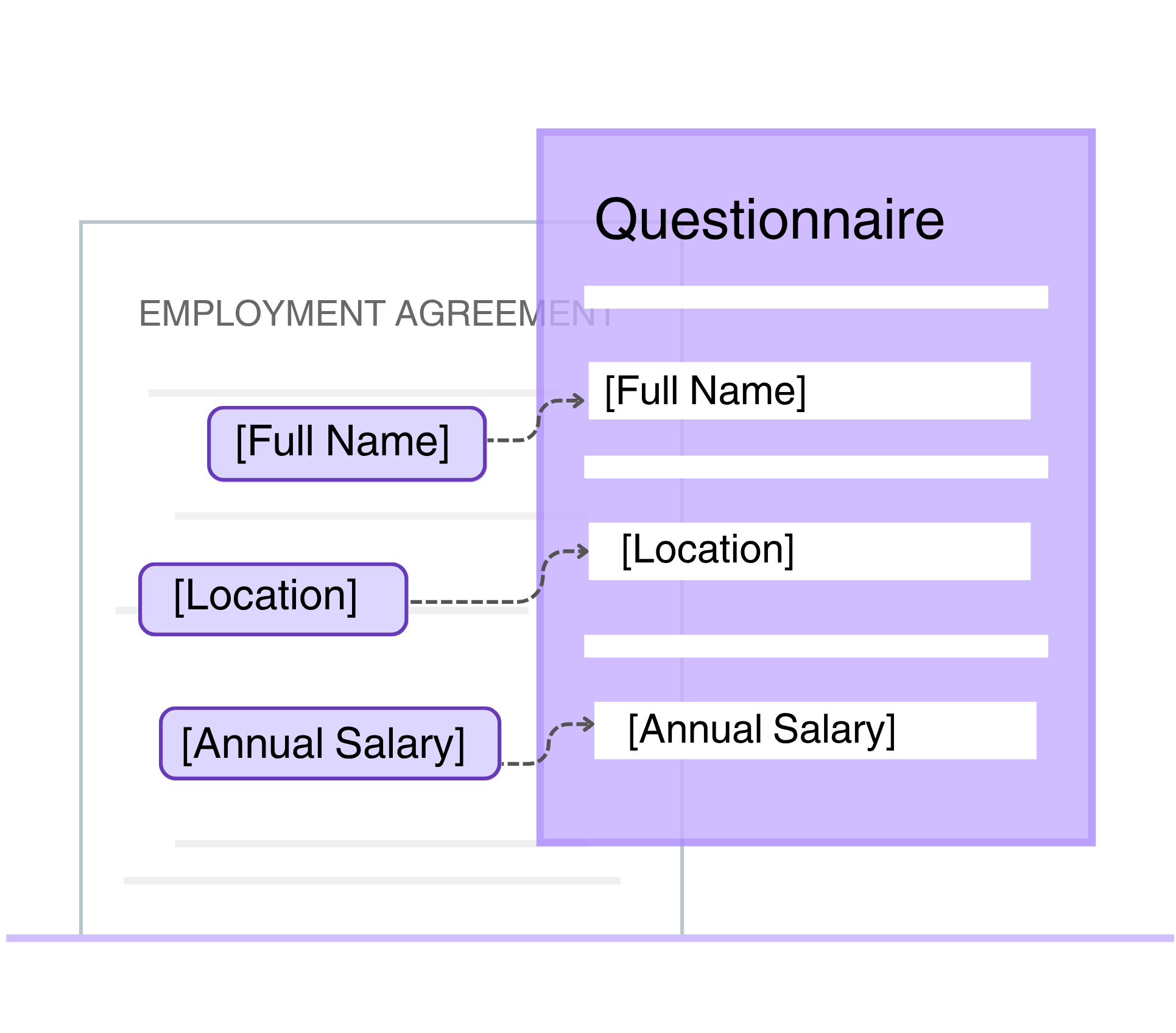
Always generate accurate contracts using smart templates

Auto-fill approved templates using simple form inputs—no edits, no errors.

  • Team or clients fill out a quick form.
  • BoloSign picks the right template.
  • Fields auto-populate instantly.
  • The final contract is ready to send, error-free.
Contract Creation

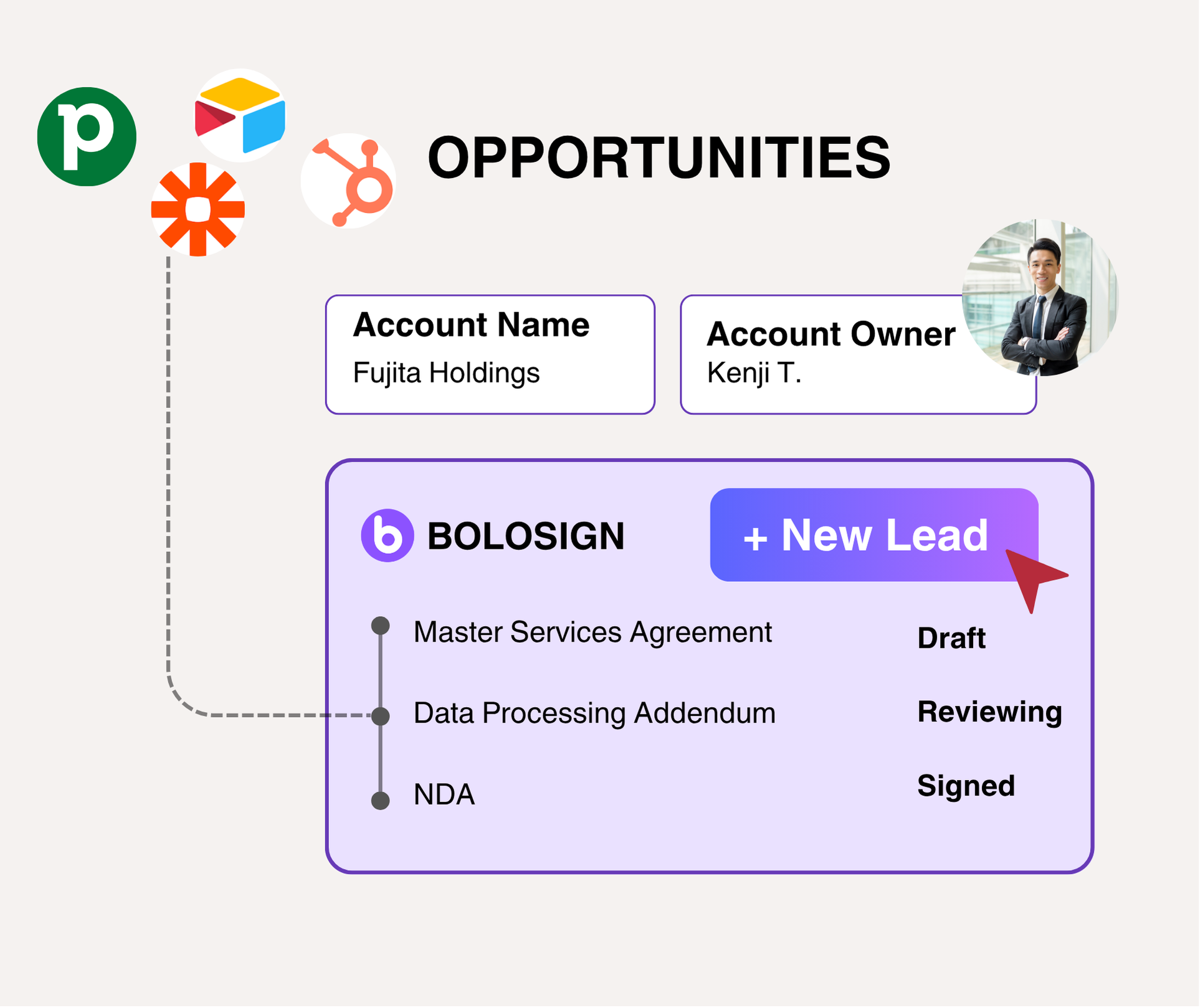
Create contracts within your team’s favorite tools

Generate and manage contracts directly from Pipedrive, Airtable, and HubSpot—no switching tabs.

  • Auto-fill deal data – Pull details straight from your CRM.
  • Request approvals – Route for sign-off without email threads.
  • Share & track – Send contracts and monitor progress in real time.
Contract Creation

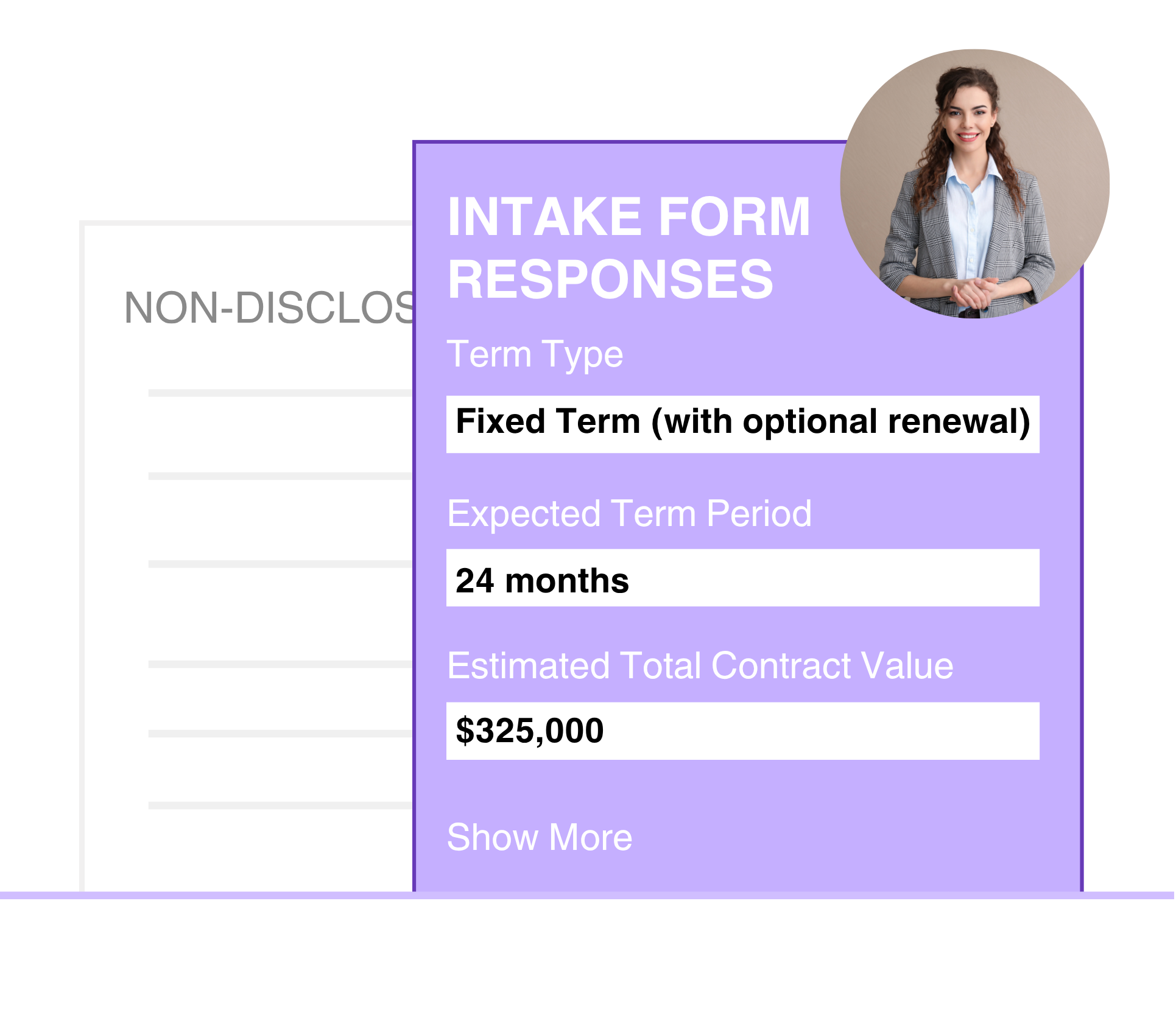
Collect contract details upfront, no follow-ups needed

Use smart intake forms to gather key info the moment a contract is uploaded—so reviews move faster.

  • Smart forms – Capture the right details from the start.
  • Linked responses – Auto-attach info to each contract.
  • Instant context – No more chasing missing data.
Contract Creation

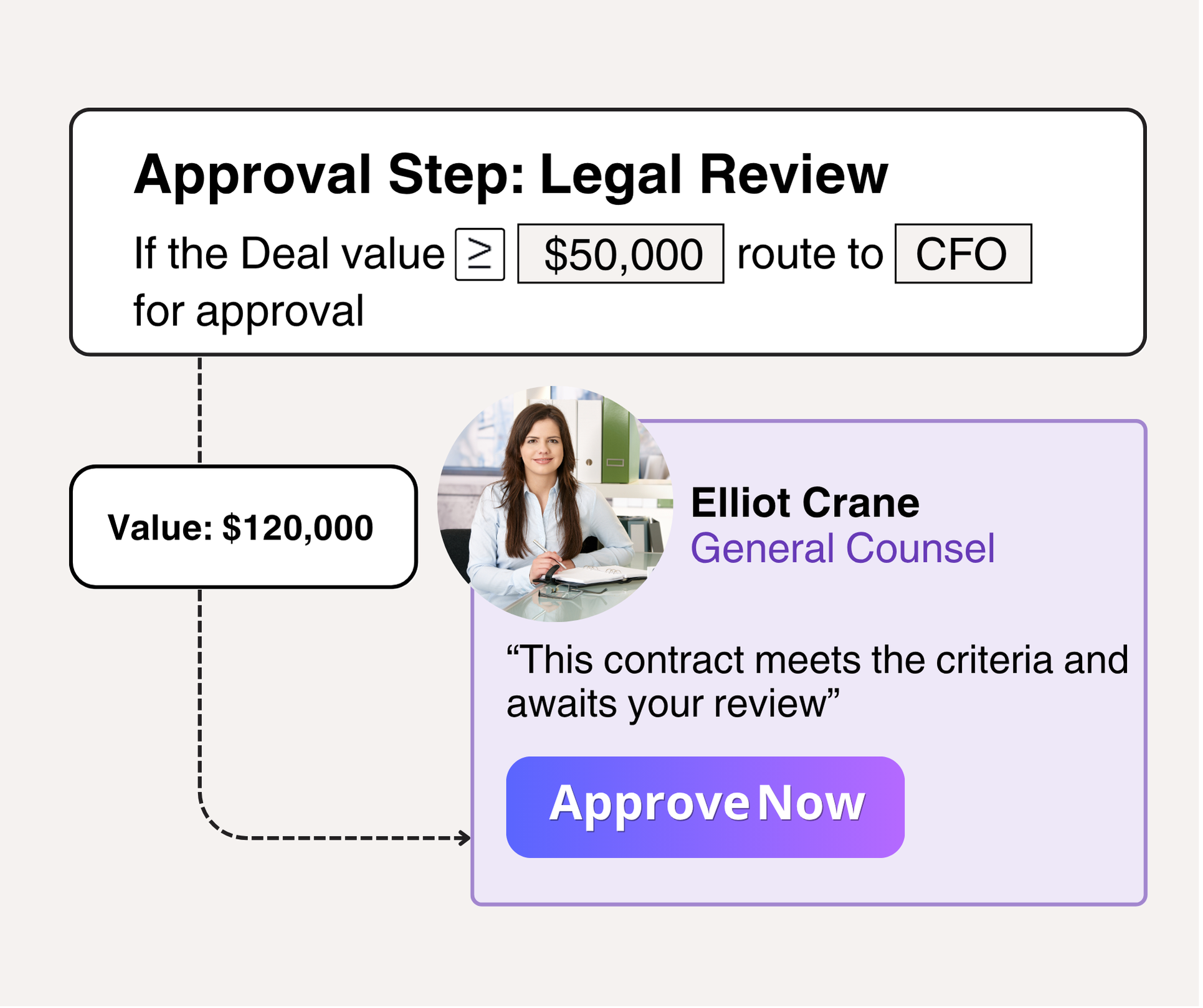
Reduce time for contract approvals

Automate contract reviews with smart routing and custom workflows.

  • Custom rules – Route by deal size, role, or type.
  • Stay on track – No more bottlenecks or missed steps.
  • Real-time visibility – Monitor progress and act fast.
Contract Creation

Get ready to automate your contracting processes

Contact Sales

FAQs

BoloSign’s Workflow Manager is a no-code interface that automates your contract process from draft to signature. Instead of emailing documents back and forth, you draw a simple approval flow—defining who drafts, who reviews, and who signs—and BoloSign handles the routing automatically.
By enforcing your predefined approval rules, Workflow Manager ensures every draft goes to the right people without manual handoffs. You always see exactly which stage a contract is in, and automated reminders prevent bottlenecks so deals close faster and with fewer errors.
You can choose from Template Workflows, where pre-approved contract templates auto-populate key fields, or Custom Workflows, where you upload existing Word/PDF documents and add signature or input fields. This flexibility lets you standardize recurring agreements while still handling unique, externally drafted contracts.
Once you define a sequence—such as Legal → Finance → Manager—BoloSign immediately sends the draft to each approver in turn. Each reviewer receives a notification, can comment or request edits, and the system won’t move forward until every step is completed, guaranteeing a full audit trail.
Yes. BoloSign links with CRMs (Salesforce, HubSpot) so deal data auto-fills into contracts, cloud storage (Google Drive, OneDrive) to sync template changes, and automation platforms (Zapier, Make) for custom triggers like generating contracts when a deal reaches a certain stage. This keeps your data flowing smoothly across systems.
Designate one “master” template for each contract type. When you update that master, any new contract pulls the latest version. If someone opens an older draft, BoloSign flags it and lets them migrate to the current template with a single click, so everyone always works from the same content.
Intake forms collect all the essential details—like client name, payment terms, or project scope—before drafting begins. Those answers auto-populate into your chosen template, ensuring drafts start complete and reducing back-and-forth edits for missing information.

Ready to streamline your contract management with AI?

Contact Sales
review

AI assistant to draft, review, and eSign contracts on autopilot for fastest growing companies.

Email: support@boloforms.com

Capterra FrontRunners
Capterra Shortlist

Company

Solutions

Resources

Legal & Security

Sales Inquiry

Available On

Download on the App StoreGet it on Google PlayInstall from Workspace MarketplaceAdd to Gmail